Drive Solomon: the AI operating system for service businesses.
Bring company knowledge, appointments, follow-up tasks and reports into the workday. Solomon helps independent operators and franchise teams prepare decisions, coordinate responsibilities and review what happened.
One coordinated system for the work that runs your business.
Find company guidance, prepare the next action and review the information behind the work. Keep people, appointments, tasks and reports connected.
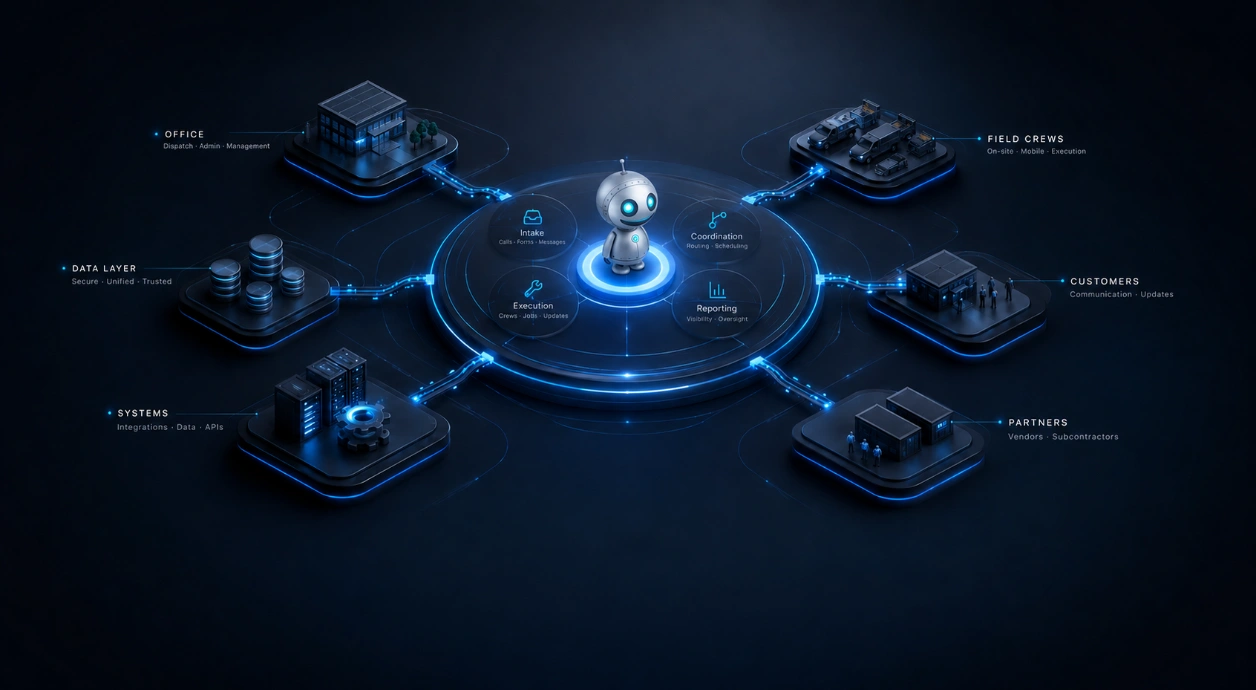
Bring relevant company knowledge and work details together, then give the next step a clear owner.
Workflow coordination
Build and review a workflow with clear steps, responsibilities and readiness checks before using it.
Operational intelligence
Use tracked-work signals and reports to investigate what needs attention, then check the evidence and local context.
Scheduling assistance
Connect appointments with the customer, job details and teammates responsible.
Team communication
Message teammates with the work details they need to understand the next step.
Knowledge retrieval
Find company procedures and documents using the information you are allowed to access.
Franchise visibility
Review reports by location and period within the information your role allows.
Reporting & oversight
Start with a business question, then review the report, its sources and earlier results.
Governed execution
Test the steps of a workflow before putting it to work, and keep someone responsible for exceptions.
Built for the trades that run on coordination.
HVAC, plumbing, electrical, restoration, and beyond. Solomon adapts to how the trade actually operates — not a generic CRM template.
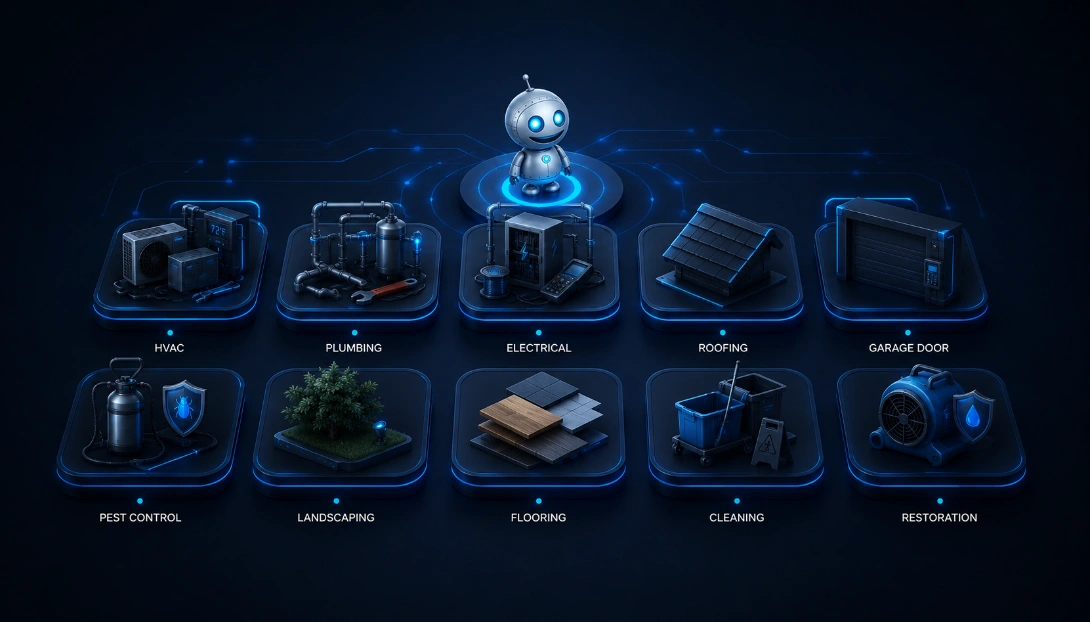
Use your company’s procedures and work details to prepare the next step, whether the team is in the office or at a customer’s property.







Multi-location intelligence, brand governance, and operational oversight.
Headquarters can share guidance and review reports for the information it may access. Local operators bring the customer and job context. Together, they can clarify the next step without treating every location or franchisee as the same business.
Operational problems Solomon solves.
The work that quietly determines whether a service business runs cleanly or doesn't.
Reducing missed follow-up
Give follow-up work a named owner, relevant notes and a clear next step.
Coordinating appointment changes
Review and update appointments with the customer, job details and teammates involved when plans change.
Scaling service operations
Test a process with a small group before bringing more locations or people into it.
Standardizing franchise operations
Make shared procedures available to the right people, then practice and review the steps before using them more widely.
Reducing admin work
Use company knowledge and working documents to prepare the information the next person needs.
Operational reporting
Review the business question, the report and its source information together.
Operational, not aspirational.
Ask Solomon about company guidance, prepare a working document and connect the next appointment or follow-up to the work it belongs to.
Your team sets the review points. Use reviewed workflows and assigned tasks to make responsibilities clear, and return to reports and their history to understand what happened.
Start with the information each person is allowed to use. Check the process before expanding it, and keep someone responsible for exceptions and the next decision.
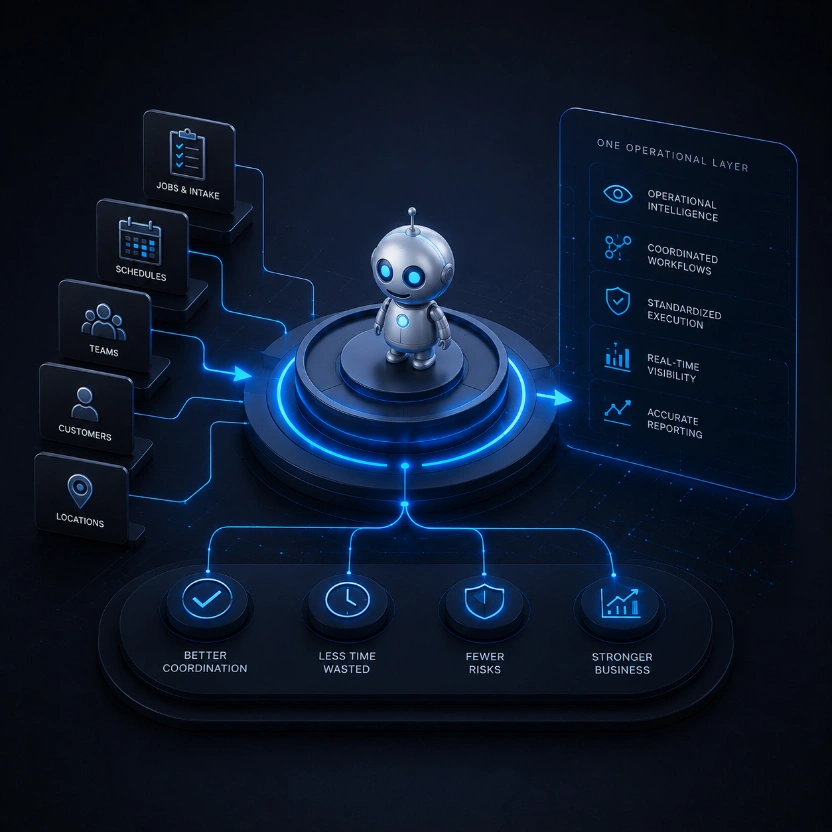
No demos. No sales calls. Solomon onboards you directly.
Instead of a call queue, you start immediately working with Solomon. Solomon builds your operational layer with you, in the platform.
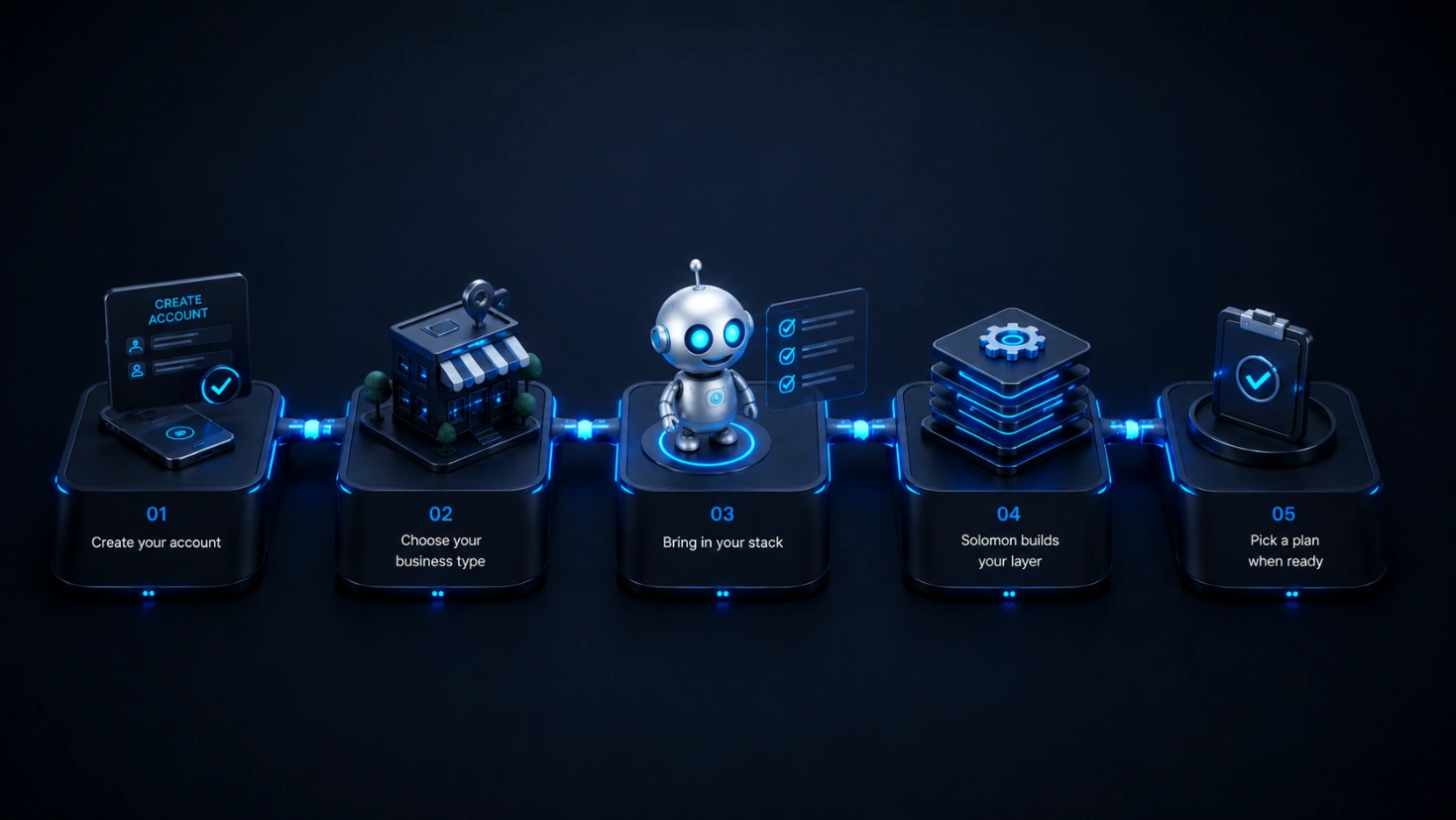
Create your account
Sign up in under a minute. No credit card required to start.
Choose your business type
Independent operator or franchise network — Solomon adapts to the model.
Bring in your stack
Start with the calendars, email, phones, CRM, job tools, forms, and payment workflows you already use.
Solomon builds your layer
Workflows, SOPs, and reporting get configured against how you actually run — and Solomon guides what connects now vs. what to configure next.
Pick a plan when ready
Build with Solomon during free onboarding. Complete billing in Drive when you are ready for paid operational access at your covered locations.
What Solomon is — and what it isn't.
Use company knowledge to prepare work, assign the next step and review the result. Keep the tools that serve your team well and confirm the connections your process needs.
Solomon is
- Company knowledge, appointments, assigned tasks and working documents connected to the work.
- Workflow Maps, practice and readiness checks, with supported scheduled or event-driven actions.
- Shared guidance and local context for businesses and franchise networks, within each person’s access.
- Reports with supporting information and run history your team can review.
Solomon is not
- A requirement to discard tools that already serve your team well.
- A promise that every application is connected by default.
- An automatic approval of every draft or suggested action.
- Permission to see every record simply because a business shares a brand.
Start with the tools your business uses.
Identify where information comes from, which record stays current and what action you need. Review the supported connection and permissions before relying on work across systems.
Email & Google Workspace
Calendars & scheduling
Phones & call tracking
SMS & messaging
CRM systems
Job & field management
Stripe & payments
Forms & intake








These categories help you plan the conversation. Confirm which specific connections and actions are available for your setup; a category is not a promise that every provider or workflow is supported.
Bring the operational layer of your business online.
Solomon onboards you directly — no calls, no demos. Start your account and begin the app handoff the right way.